Photo Montage Maker — Build Photo Collages in Seconds
Select your photos and the app builds montage layouts automatically. Customise the look, retouch faces and share an eye-catching collage in seconds.



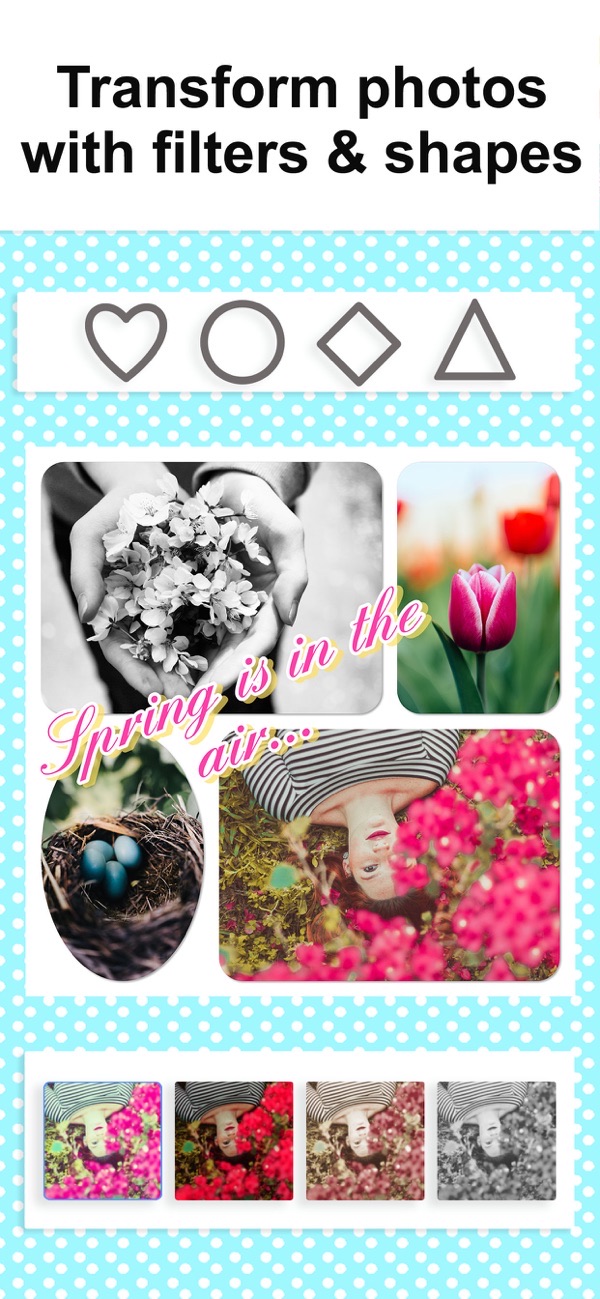
Photo Montage Maker turns everyday moments into eye-catching collages. Choose your photos and the app automatically generates several montage layouts — pick a favourite, customise it, and you are done. Combine up to 20 pictures, then add filters, patterns, stickers and text before you save or share.
Automatic montage layouts in seconds
Select your photos and the app builds multiple montage layouts for you. Choose the one you like best, tweak it, and your collage is ready to share — no fiddly setup.
Combine up to 20 photos into one montage
Bring together up to 20 photos of your kids, holidays, pets, food or before-and-after shots, all framed in a single montage that says more than a single post.
30+ premium filters and photo effects
Give your montage a mood with more than 30 premium filters, plus shapes that cut each photo into hearts, circles, diamonds and more for a creative finish.
Built-in beauty and retouch tools
Polish every face right inside the app with retouch effects — remove blemishes and redeye and whiten teeth before your photos go into the collage.
Patterns, stickers, text and frames
Customise with 90+ pattern backgrounds, 40+ stickers, 60+ fonts and frames, then export in high quality for sharing or printing.
Frequently asked questions
How does it make a montage?
Choose your photos and the app automatically generates several montage layouts. Pick the one you like, customise it, and you are done.
How many photos can I use?
You can combine up to 20 photos into a single montage.
Can I retouch faces?
Yes. Built-in beauty tools let you remove blemishes and redeye and whiten teeth before adding photos to your collage.
Is it free?
Yes, it is free to use. A Premium subscription unlocks all stickers, patterns, fonts, custom photo backgrounds and removes ads.



Get Photo Collage Montage Maker
Free to download on the App Store for iPhone and iPad.