How to Make a Slideshow with Photos and Music on iPhone
Quick answer
To make a slideshow with music on iPhone, open Slideshow Maker, add your photos and videos, pick a theme, then set your own song or use the music that comes with the style. Choose a canvas size for Instagram, Facebook or a story and export the finished movie to share.
A slideshow turns a folder of photos into something you actually want to watch and share: a trip, a birthday, a year in review. Setting it to music gives it a rhythm, and on an iPhone you can build the whole thing in one app.
Can you do it with the built-in apps?
The Photos app can auto-build a Memories video, but you get little control over which song plays, how long each photo shows, or the size of the final video. A slideshow app lets you choose the music, set the timing and pick the exact canvas for where you are posting.
Step by step
Here is how to do it with Slideshow Maker.
- Install Slideshow Maker and pick the photos and videos you want to include, up to 200 photos in one slideshow.
- Choose a theme from the Style tab. There are 26 to pick from, including birthday, beach, chill and romantic looks.
- Open Music to set your own song, or keep the track that comes with the style you chose.
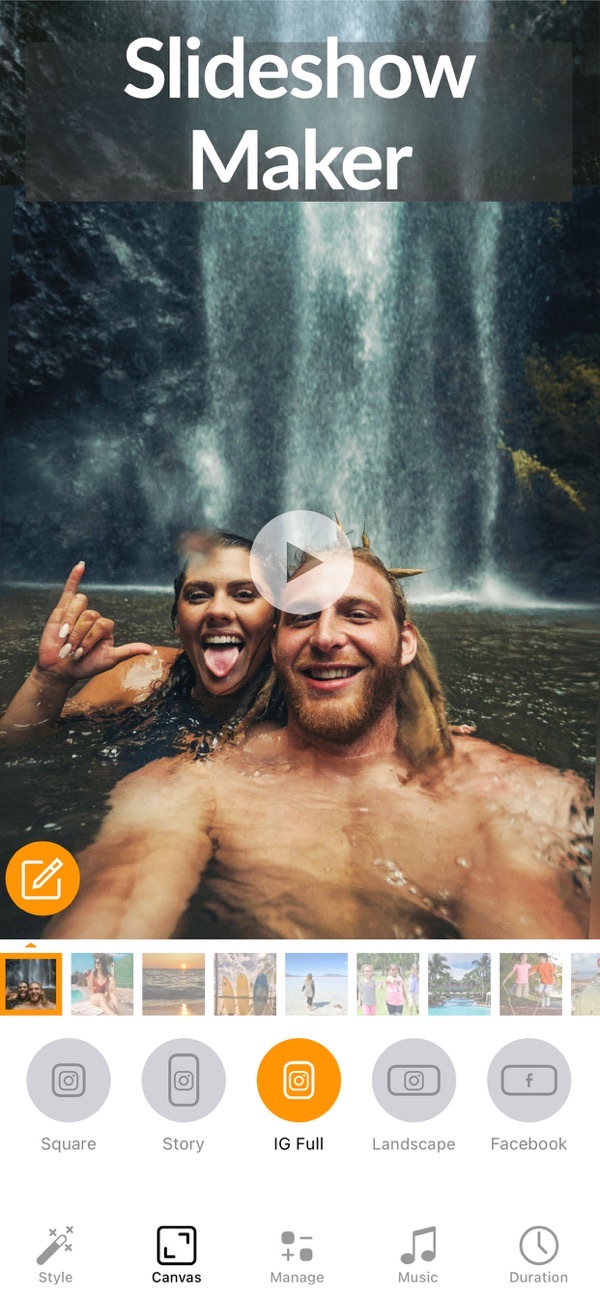
- Set the canvas size for where it is going: square, Instagram story, Instagram full, landscape, Facebook or Pinterest.
- Reorder your photos and videos, trim any clips, and set how long each photo stays on screen.
- Add text if you like, then export your slideshow and share it with friends and family.

Tips
- Match the photo duration to the beat of your music so the slideshow feels intentional.
- Use Fit with a blurred background when your photos are a mix of portrait and landscape, so nothing gets cropped.
- Mute a clip's own audio when you are laying your own song over the top.
Frequently asked questions
How many photos can I add?
Up to 200 photos, plus video clips, in one slideshow.
Can I use my own music?
Yes. Set your own song, or use the music included with each style.
Does it work on iPad?
Yes, with landscape support on iPad.
Does Slideshow Maker add a watermark?
No. You can export your slideshow with no watermark, even on the free version.
Get Slideshow Maker
Free to download on the App Store for iPhone and iPad, with no watermark on what you export.

 Using Photo Collage Maker
 Using Slow-Fast Motion
 Using No Crop