How to Make a Photo Collage on iPhone
Quick answer
To make a photo collage on iPhone, open Photo Collage Maker, choose your photos and pick a layout. You can combine up to 20 pictures, then customise the borders, patterns, text and frames before saving a high-resolution collage to share.
A collage tells a story that a single photo cannot: a holiday, a birthday, a before and after, or a set of products side by side. Building one on your iPhone means picking a layout and dropping your photos in, then making it your own.
Can you do it with the built-in apps?
Apple's Photos app can build a simple grid or a memory movie, but it gives you little say over the layout, spacing or borders. If you want a specific arrangement, a heart-shaped cut-out or a scrapbook look, a dedicated collage app hands you the templates and controls to get there.
Step by step
Here is how to do it with Photo Collage Maker.
- Install Photo Collage Maker and select the photos you want to include, up to 20 in one collage.
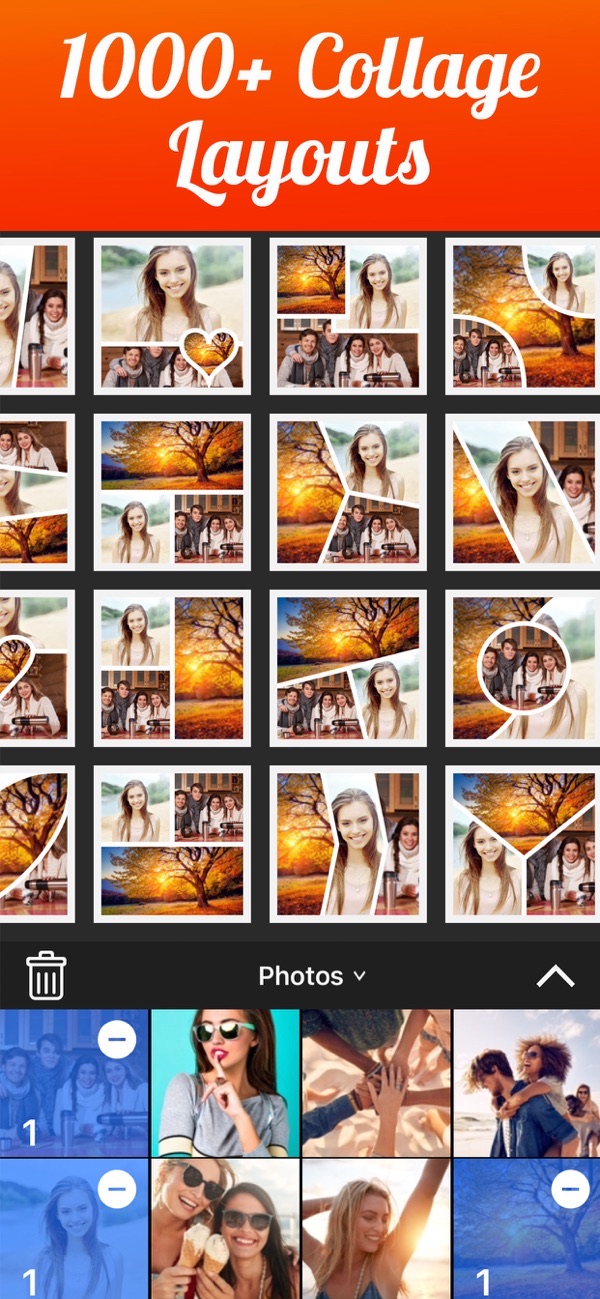
- Browse the layouts and tap one you like. There are over 1000 to choose from, and they are all free.
- Tap any photo in the collage to zoom, pan, rotate or mirror it so it sits well in its frame.
- Adjust the borders and background: pick a colour, a pattern, rounded corners, or a blurred background for a softer look.
- Add text and stickers to caption the collage or mark an occasion.
- Save to your camera roll in high resolution, then share it to Instagram, Facebook or by email.

Tips
- A before-and-after pair or a photo series works well in a simple two or three frame layout.
- Adjusting the inner border and corner rounding gives the whole collage a cleaner, more modern feel.
- Set one photo as a full background and lay the others on top for a scrapbook effect.
Frequently asked questions
How many photos can I add?
Up to 20 photos in a single collage.
Are the layouts free?
Yes. All 1000+ layouts are free, along with most of the app's features.
Can I save in high quality?
Yes. You can export at high resolution, up to 3264 x 3264 on newer devices.
Does Photo Collage Maker add a watermark?
No. You can save your collage with no watermark, even on the free version.
Get Photo Collage Maker
Free to download on the App Store for iPhone and iPad, with no watermark on what you save.

 Using Slideshow Maker
 Using No Crop
 Using Magic Eraser